
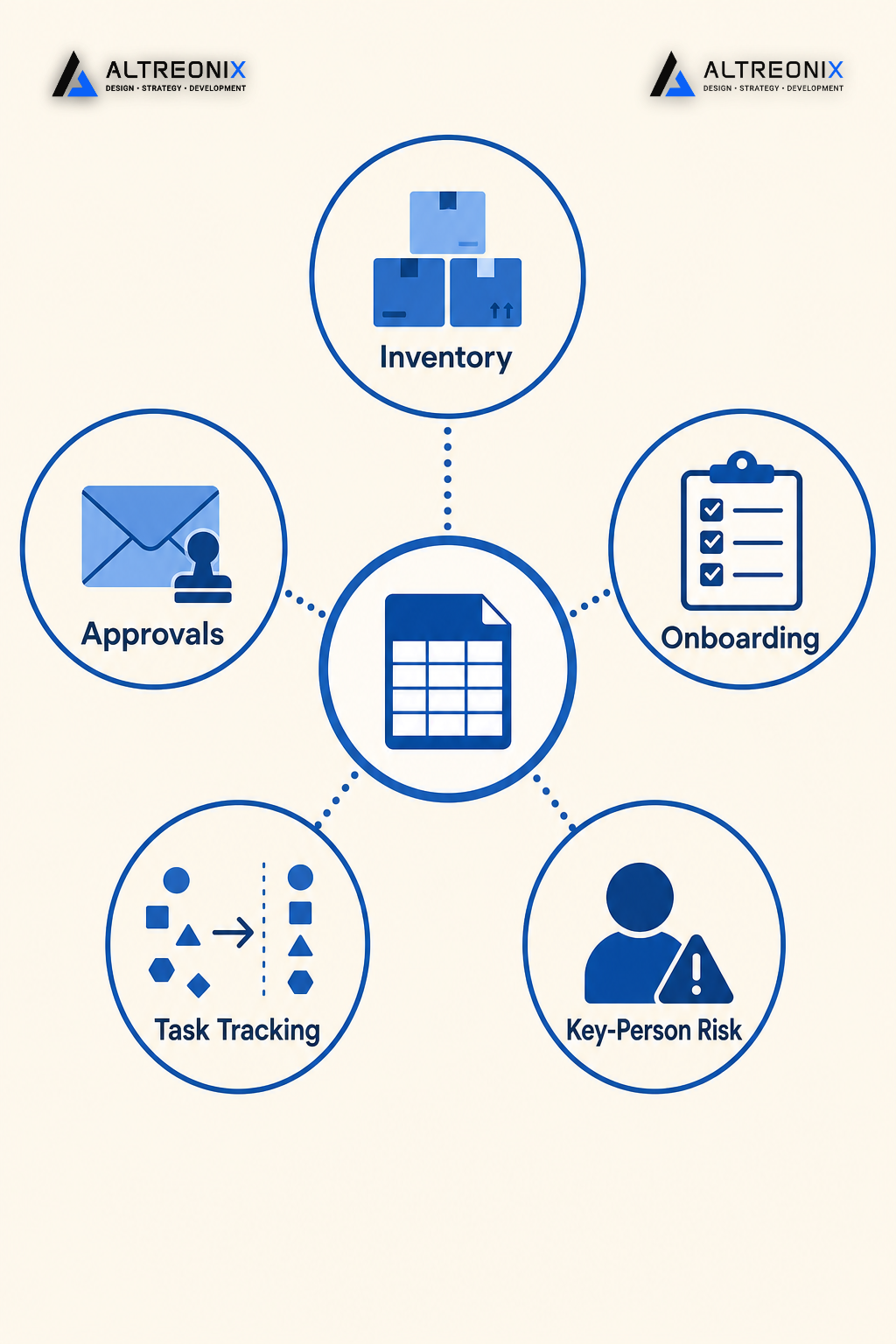
At some point, without anyone deciding it on purpose, Excel became your operations system. Not a place to jot down numbers, but the actual system running inventory, approvals, or onboarding for the whole company. That’s not a productivity choice anymore. It’s a risk sitting quietly in a file nobody officially owns.
We wrote about what that risk actually costs in hard numbers here. This post is the diagnostic that usually comes before that conversation: the signs that tell you the spreadsheet has become the bottleneck, not the tool.
The 7 Signs
1. There Are Multiple “Final” Versions Floating Around
If your team has ever had to ask “wait, is this the version with the updated numbers or the one from Tuesday?”, that’s not a naming problem. It’s a sign the spreadsheet is being used the way a database should be used, without any of the safeguards a database provides.¹ Version conflicts happen because spreadsheets have no built-in concept of a single source of truth. Every copy, every email attachment, and every “just to be safe” duplicate is a fork that someone eventually has to manually reconcile.
2. Formulas Break, or Return Numbers Nobody Can Explain
A cell references the wrong row. A formula gets overwritten by someone typing directly into it. A dropdown gets copied into the wrong column. Academic research on spreadsheet reliability has found that a significant share of operational spreadsheets contain at least one material error, often invisible until the output looks wrong.² If your team has a routine of “let’s just double check that number before we send it,” you’ve already built an informal QA process around a tool that was never meant to need one.
3. One Person Is the Only One Who Really Understands the File
Every growing business has one spreadsheet with a silent owner, the one person who built it, knows why column J exists, and is quietly dreading the day they go on vacation during month-end close. That’s key-person risk, and it compounds every month the file stays in use. When that person leaves or is simply unavailable, the “system” doesn’t just slow down, it can stop functioning entirely until someone reverse-engineers it.³
4. Spreadsheets Have Become Your Approval and Onboarding Workflow
This is the sign most businesses miss, because it happens gradually. What started as a place to track inventory or budgets slowly absorbs approval sign-offs, onboarding checklists, and cross-department handoffs, usually via comments, colored cells, or a column labeled “status.” Spreadsheets were never built for workflow logic, and once they’re carrying approvals or multi-step processes, every handoff depends on someone remembering to update a cell rather than a system enforcing what happens next.⁴
5. The File Is Slow, Crashes, or Hits Row and Column Limits
At a certain volume of orders, SKUs, or line items, spreadsheets start fighting you. Files take longer to open, formulas recalculate slowly, and the file occasionally crashes mid-edit, sometimes taking unsaved changes with it. This is a scaling ceiling, not a bug. Spreadsheets are built for calculation, not for the volume and structure of live operational data most 20 to 50-person teams are now running through them.
6. Nobody Can Tell You Who Changed What, or When
Ask your team who approved last month’s vendor payment increase, or who changed the reorder threshold on a key SKU, and see how confident the answer sounds. Spreadsheets typically have no real audit trail. Basic version history exists in cloud tools, but it rarely captures the “why,” and it’s almost never reviewed until something has already gone wrong. For approvals, finance, or anything touching compliance, that’s a real exposure, not just an inconvenience.
7. Adding Headcount Makes Things Worse, Not Better
This is the clearest sign of all. In a properly built system, adding people should make operations run smoother; more hands, more capacity. In a spreadsheet-based operation, more people usually means more versions, more manual handoffs, and more chances for two people to edit the same thing at once. If your last few hires made coordination harder rather than easier, the spreadsheet isn’t scaling with you. It’s actively working against your growth.
What to Replace Each Pattern With
Not every sign above calls for the same fix. Matching the right system type to the actual pattern is what keeps this from turning into an expensive, unnecessary overhaul.
| Sign | What It Usually Means | What to Replace It With |
|---|---|---|
| Version conflicts | No single source of truth | A shared system of record (internal app, lightweight database, or off-the-shelf tool depending on complexity) |
| Formula errors | Manual calculation at scale | Automated validation and calculation rules built into the system, not re-checked by hand |
| Key-person risk | Undocumented, single-owner logic | A documented, role-based system anyone on the team can operate |
| Approvals inside spreadsheets | Workflow logic bolted onto a data tool | A dedicated approval workflow with routing, status, and audit logs |
| Performance issues | Volume has outgrown the tool | A real database-backed system, either off-the-shelf or custom depending on workflow complexity |
| No audit trail | Compliance and accountability gap | A system with built-in change logs and user-level tracking |
| Headcount making things harder | No workflow enforcement | A structured internal system where the process, not memory, dictates the next step |
Whether the right replacement is an off-the-shelf tool, a semi-custom configuration, or a fully custom internal system depends heavily on how specific your workflow is and how much it needs to integrate with everything else you run. We go deeper on the internal-vs-external systems conversation through our internal software work, since the right answer is rarely the same for two businesses even when the symptoms look identical.
A 90-Day Upgrade Roadmap, One Workflow at a Time
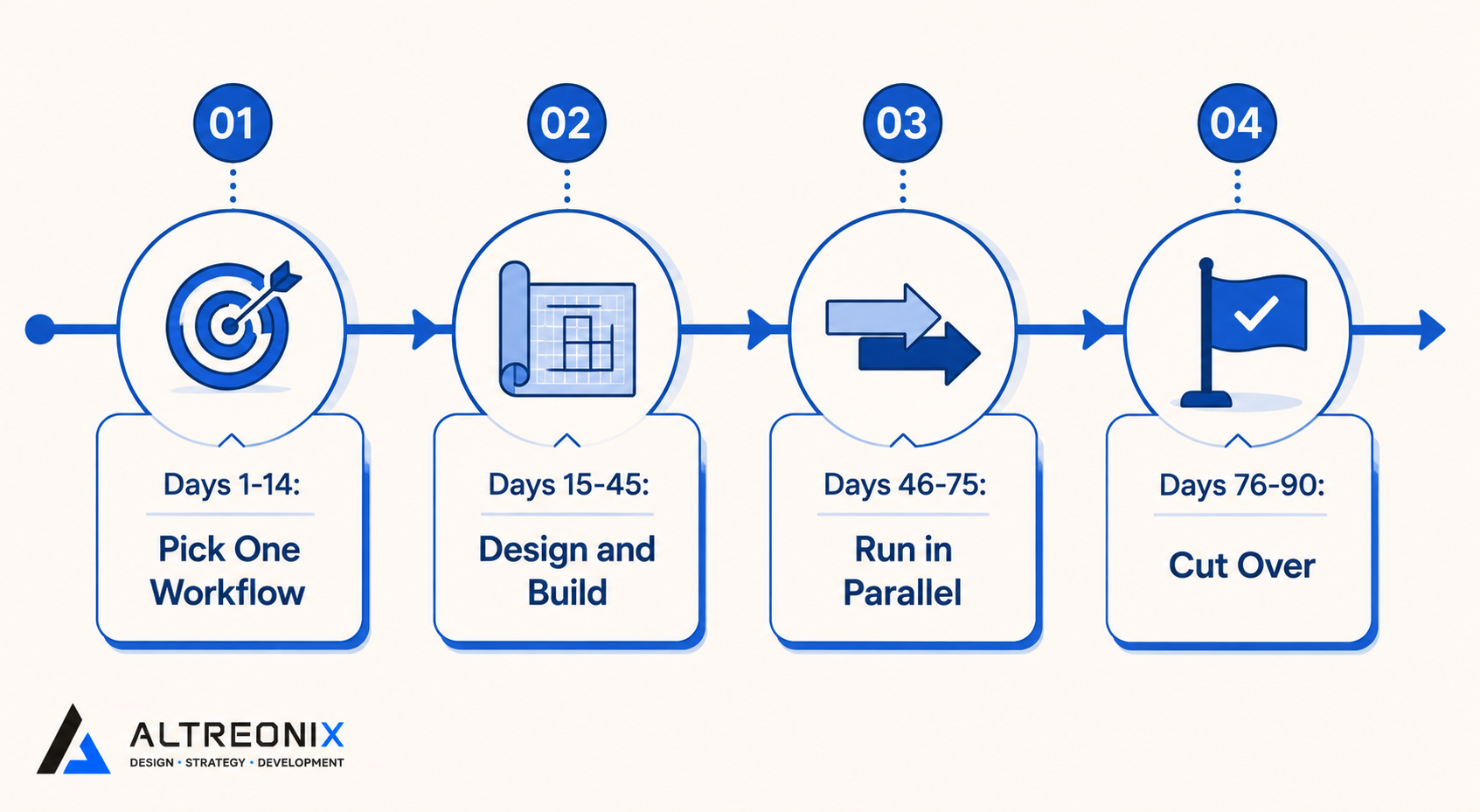
You don’t need to replace every spreadsheet in the business at once, and trying to usually backfires. A staged approach works better in practice:
- Days 1 to 14: Pick one workflow. Choose the spreadsheet causing the most pain right now, whether that’s approvals, inventory, or onboarding. Use the signs above to confirm it’s actually a system problem, not a training gap.
- Days 15 to 45: Design and build the replacement. Map the current process exactly as it happens today, including the informal workarounds, before designing the new system. This is where most rebuilds go wrong, by designing for how the process should work instead of how it actually works.
- Days 46 to 75: Run in parallel. Keep the spreadsheet running alongside the new system for a few weeks. This catches edge cases the design missed without risking a hard cutover on a live process.
- Days 76 to 90: Cut over and document. Retire the spreadsheet, document the new system for the team, and use what you learned to plan the next workflow to upgrade.
Why This Matters More Than It Looks Like It Does
None of these seven signs feel urgent on their own. A broken formula gets fixed. A missing version gets tracked down. That’s exactly why spreadsheet risk accumulates instead of getting addressed, each individual incident is small enough to absorb, until the combined weight of all seven is quietly running a meaningful part of the business with no real safety net underneath it.
The businesses that handle this well don’t wait for a crisis. They treat these signs as a checklist, run through it honestly once a quarter, and upgrade the highest-friction workflow before it becomes the one that causes real damage.
If any of these seven signs sound familiar, the next step is usually a short, structured look at what’s actually happening in your spreadsheets versus what everyone assumes is happening. We offer a 30-minute consultation where we review your current setup and help you identify the one workflow worth upgrading first. Get in touch here and bring whichever spreadsheet is causing the most headaches.
¹ Vitcake, “Outgrowing Spreadsheets: Systems for Growing Companies to Consider,” https://vitcake.com/blog/outgrowing-spreadsheets-systems-growing-companies-consider ² Tuck School of Business, Dartmouth, “Spreadsheet Errors” research, https://mba.tuck.dartmouth.edu/spreadsheet/product_pubs_files/errors.pdf ³ Dr. Dave Heath, “From Spreadsheets to Systems: The SME Data Upgrade,” https://drdaveheath.com/blog/spreadsheets-to-systems-sme-data-upgrade ⁴ Perkins SmartOps, “Signs Your Business Has Outgrown Spreadsheets,” https://perkins-smartops.com/smart-insights/signs-business-outgrown-spreadsheets/