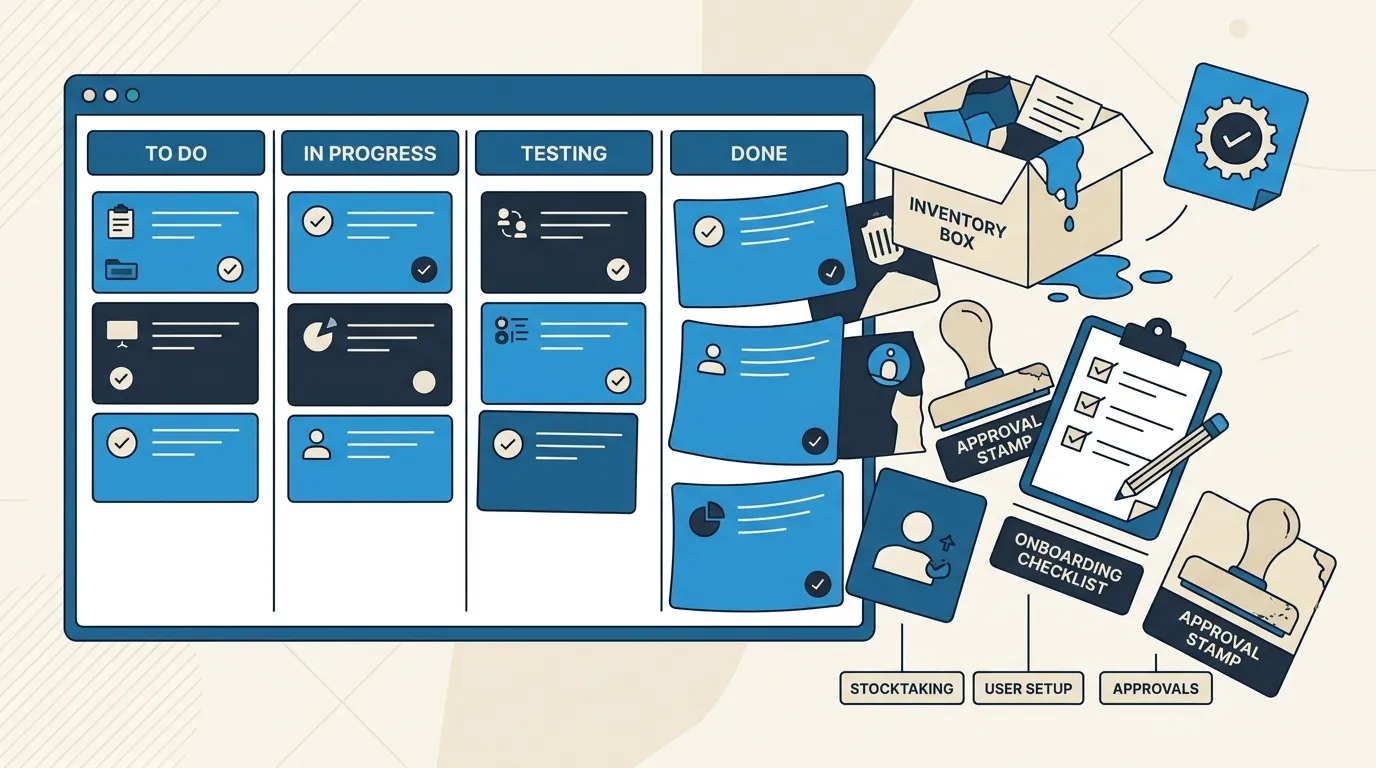
Most operations teams have tried at least one project management tool, and most of them quietly stopped using it within a few months. The board still exists. Nobody updates it. Everyone’s back to Slack messages, a shared spreadsheet, and whoever remembers to follow up on what.
This isn’t a discipline problem, and it isn’t really a tool-quality problem either. It’s a category mismatch. Most popular project management software was designed around how software teams work: sprints, backlogs, a defined start and end to each piece of work. Operations work looks nothing like that, and forcing it into a tool built for a different shape of work is why the board goes stale no matter how good the intentions were at rollout.
This gets missed constantly because the symptom looks like a people problem. Leadership rolls out a shiny new PM tool, everyone’s trained on it, and within six weeks half the team is quietly back to managing their real day-to-day in a notebook or a private spreadsheet. The instinct is usually to blame adoption, try a different tool, run another training session. That rarely fixes it, because the actual issue was never which tool, it was that the tool assumed a kind of work your team wasn’t actually doing.
The Real Category Mismatch: Tasks, Projects, and Processes Aren’t the Same Thing
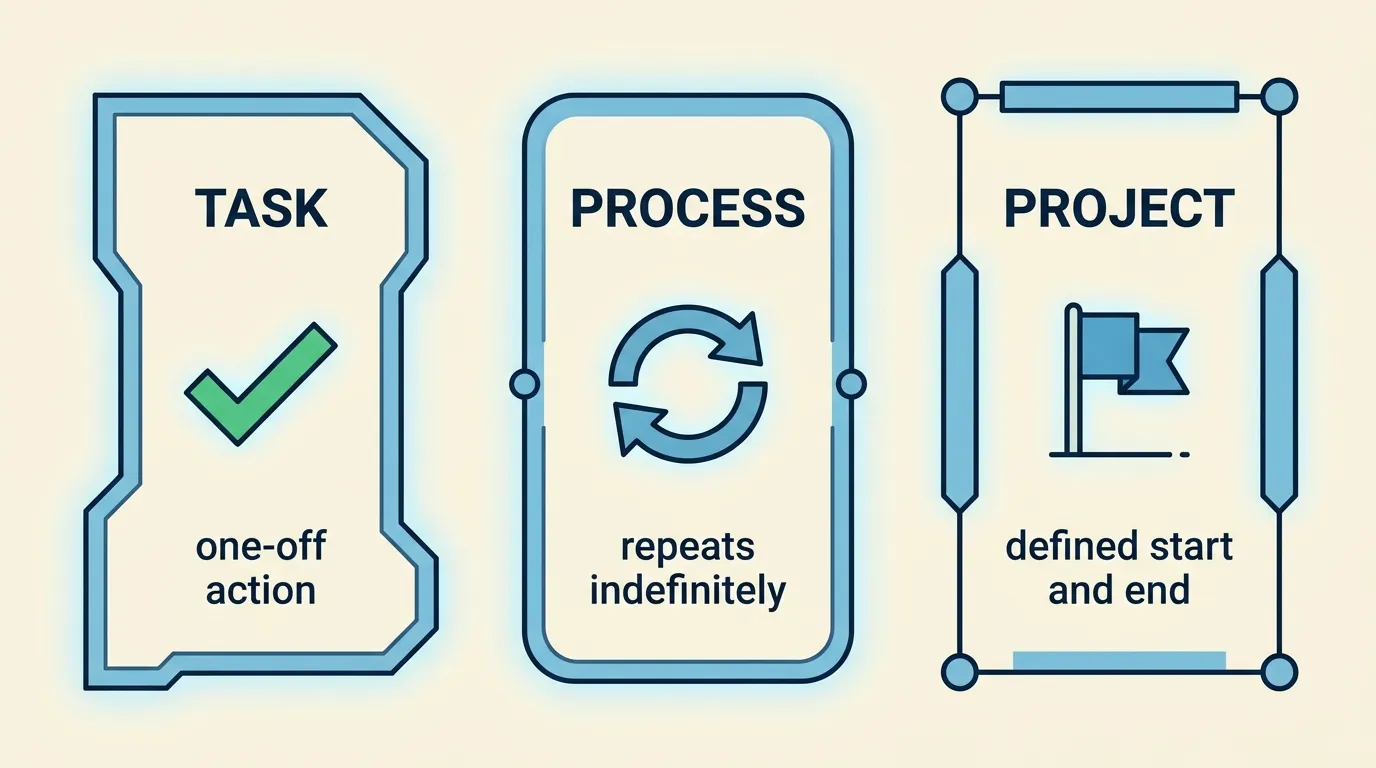
There’s a useful distinction that most software vendors blur together on purpose, because it’s easier to sell one tool for everything: tasks, projects, and processes are three genuinely different kinds of work, and each needs a different kind of system. A single action is a task, a one-off multi-stage effort is a project, and a repeatable workflow is a process, and roughly half of teams pick the wrong category and end up with a tool that fights their actual work every day.
Most operations work at a 10 to 50-person business is either tasks (a single approval follow-up, a single equipment request) or processes (a weekly inventory count, an onboarding sequence, a monthly compliance check), not projects in the sense a PM tool assumes. A project has a definable end. A process repeats indefinitely, and skipping a step matters far more than finishing early. That difference alone explains why a sprint board feels wrong for tracking approvals, but works fine for tracking a website redesign.
Here’s how this plays out concretely. A team sets up a project board to track “vendor approvals” as if it were a project, with a backlog, a few status columns, and cards representing each request. Every approval gets logged as a new card, moved manually between columns, and closed out individually. Three months in, the board has hundreds of closed cards nobody looks at again, no visibility into which vendor categories cause the most delays, and no automatic escalation when a card sits untouched for a week. That’s not a failure of the team’s discipline. It’s what happens when a repeating process gets tracked using the mental model built for a one-off initiative.
Why This Feels Like Death by a Thousand Clicks
If you’ve ever tried to log a quick operational task in a full-featured PM tool and found yourself three clicks deep in a dropdown, a date picker, and a priority label before you could even save it, that’s not a training gap. It’s the tool doing exactly what it was built to do, and that thing isn’t what you needed. Tools built for larger, more structured teams often become a speed bump rather than a productivity boost for smaller operations teams, precisely because the overhead that makes sense for a 40-person engineering org tracking a six-month release doesn’t make sense for logging “call the vendor back about the delayed shipment.”
The deeper issue is rigid structure that doesn’t match how a specific team actually works, which is a fair criticism of most general-purpose PM software, not a knock on any one product. These tools are built to be flexible enough for many industries, which in practice means generic enough to fit none of them particularly well.
Where Operations Tasks Actually Come From
The other core mismatch is where the work originates. A software team plans a sprint in advance: here’s what we’re building over the next two weeks. Operations tasks rarely work that way. An event-based approach fits operational reality better than a rigid predetermined workflow precisely because most operational tasks are triggered by something happening, not scheduled in a planning meeting.
 An approval gets submitted, and that creates a task for the approver. A stock level crosses a reorder threshold, and that creates a task for purchasing. A new hire’s onboarding form gets completed, and that creates a batch of tasks for IT, facilities, and their manager. None of this fits neatly into a two-week sprint planned ahead of time, because nobody knows on Monday which approvals will come in on Thursday. Operations task tracking needs to handle a continuous stream of triggered work, not a pre-planned backlog.
This is precisely why sprint-based planning breaks down the moment you try to apply it to operations. A sprint assumes you can look ahead and commit to a batch of work for the next two weeks. Operations work resists that by nature, you can’t sprint-plan “handle whatever approvals, stock alerts, and onboarding events happen to occur,” because the whole point is that you don’t know the volume or timing in advance. The tracking system needs to absorb that unpredictability gracefully, not force it into a planning ritual that assumes the opposite.
What Operations Task Tracking Actually Needs
Once you separate operations work from software-style project work, the actual requirements become a lot clearer, and they’re different from what most PM tools optimize for.
| What Generic PM Tools Assume | What Operations Teams Actually Need |
|---|---|
| Work is planned in batches (sprints, backlogs) | Tasks are created continuously by triggers, orders, approvals, inventory events |
| A task belongs to one assigned individual | A task often needs to route to whichever role is available, not a specific person |
| ”Done” is a checkbox the assignee ticks | Deadlines matter, and an overdue task needs to escalate automatically, not sit quietly |
| Work stays within one team’s board | Tasks routinely hand off across departments, warehouse to finance to customer service |
| Audit trail is a nice-to-have, if tracked at all | A permanent record of who did what and when is often required, not optional |
SLA compliance and clear internal ownership between teams are core requirements for operational ticketing, not optional extras layered on top of a project board, and this is exactly the layer most general PM tools treat as an afterthought. Even tools built specifically around ticketing and support work still often default to sprint- and backlog-oriented views as their primary structure, because that’s the assumption baked in from tools originally built for software development, showing up even in products explicitly marketed toward operations and IT teams.
A Practical Framework: Match the Tracking Method to the Work Type
Rather than searching for one tool that handles everything, it’s more useful to sort your operational work into the three categories above and pick the right tracking approach for each:
If it’s a task (a single, mostly one-off action, following up on a specific approval, ordering a specific replacement part), a lightweight tracker with clear ownership and a due date is enough. This doesn’t need a full PM tool’s overhead, sprints, story points, or a backlog grooming ritual. It needs a place the task lives, a name attached to it, and a date it’s due.
If it’s a process (something that repeats on a schedule or gets triggered the same way every time, weekly inventory counts, new hire onboarding, monthly compliance checks), you want a structured checklist or workflow system that enforces the sequence and logs completion, not a Kanban board that treats every run as a brand new project. The value here is consistency and a record, not visual progress tracking.
If it’s genuinely a project (a one-off, multi-stage initiative with a real beginning and end, opening a new location, a website redesign, a system migration), that’s the one category where a traditional PM tool with sprints, milestones, and a Gantt view actually fits the work as designed. This is also, notably, the smallest share of what most operations teams actually spend their time on, even though it’s the category most PM software is built around.
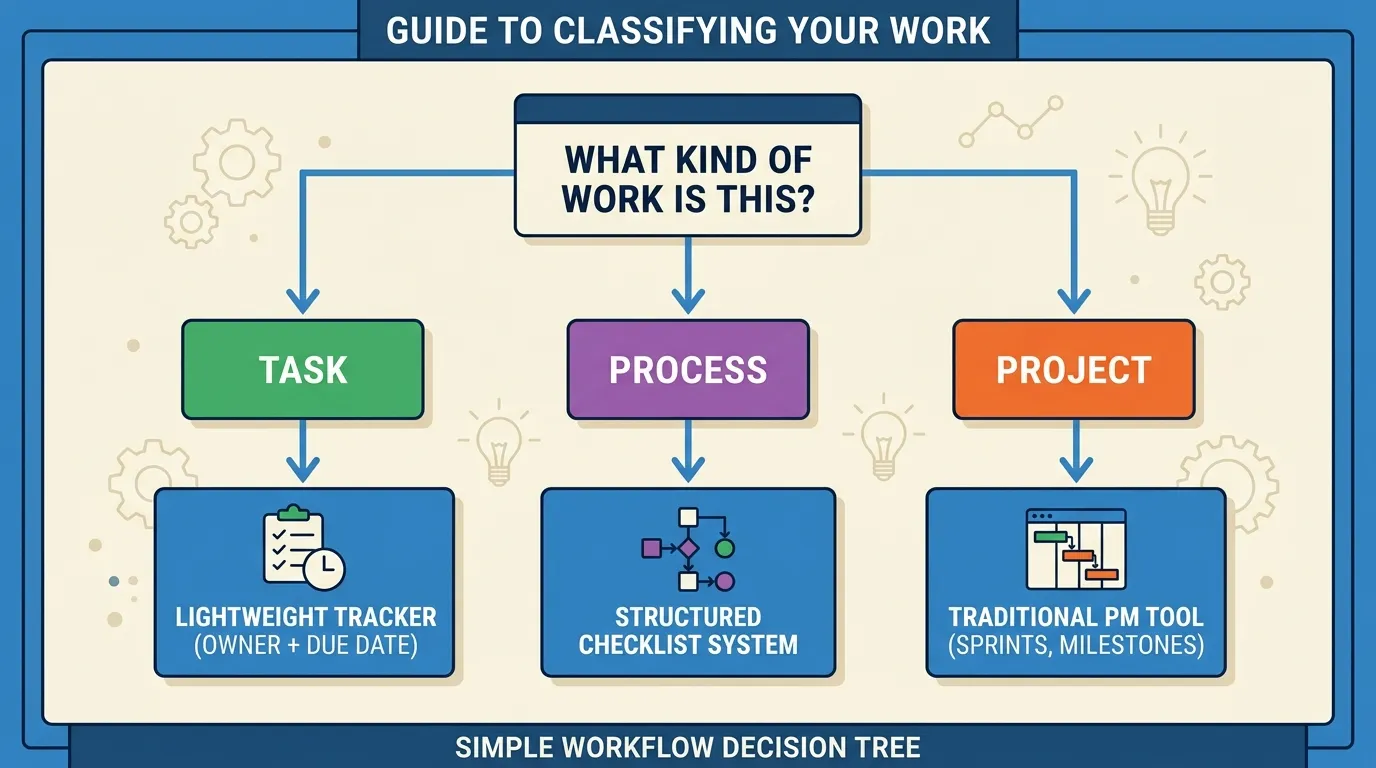 Most operations teams try to run all three types of work through whichever category of tool they happened to adopt first, usually because it’s what a project-based team elsewhere in the business was already using. Matching the tool to the type of work, rather than forcing all your work into one tool’s shape, is what actually fixes the “the board goes stale” problem.
Where This Connects to the Rest of Your Operations Systems
Task tracking rarely functions on its own, and treating it as an isolated tool choice misses most of the value. A completed onboarding form should automatically generate the right tasks for IT, facilities, and training, rather than someone manually creating them after reading the form. An approval that’s overdue should escalate automatically as a task assigned to a backup approver, not sit quietly in an inbox. An inventory reorder threshold crossing its limit should generate a purchasing task directly, rather than depending on someone noticing the number looks low.
This is exactly the kind of connection lightweight automation is good at: turning an event somewhere else in your systems into a task that shows up in the right tracker, assigned to the right role, with the right deadline, automatically. Task tracking becomes far more useful the moment it stops being a manually maintained list and starts being the natural output of everything else already happening in your operations.
Start With an Honest Audit of Your Current Task Sprawl
Before choosing or configuring any tool, spend a week tracking where your team’s actual tasks currently live, Slack threads, email, a shared spreadsheet, sticky notes, a PM tool nobody updates. Fragmenting commitments across multiple disconnected places is where task tracking systems fail before any software choice even enters the picture, and no tool fixes that on its own if the underlying habit of scattering commitments continues alongside it.
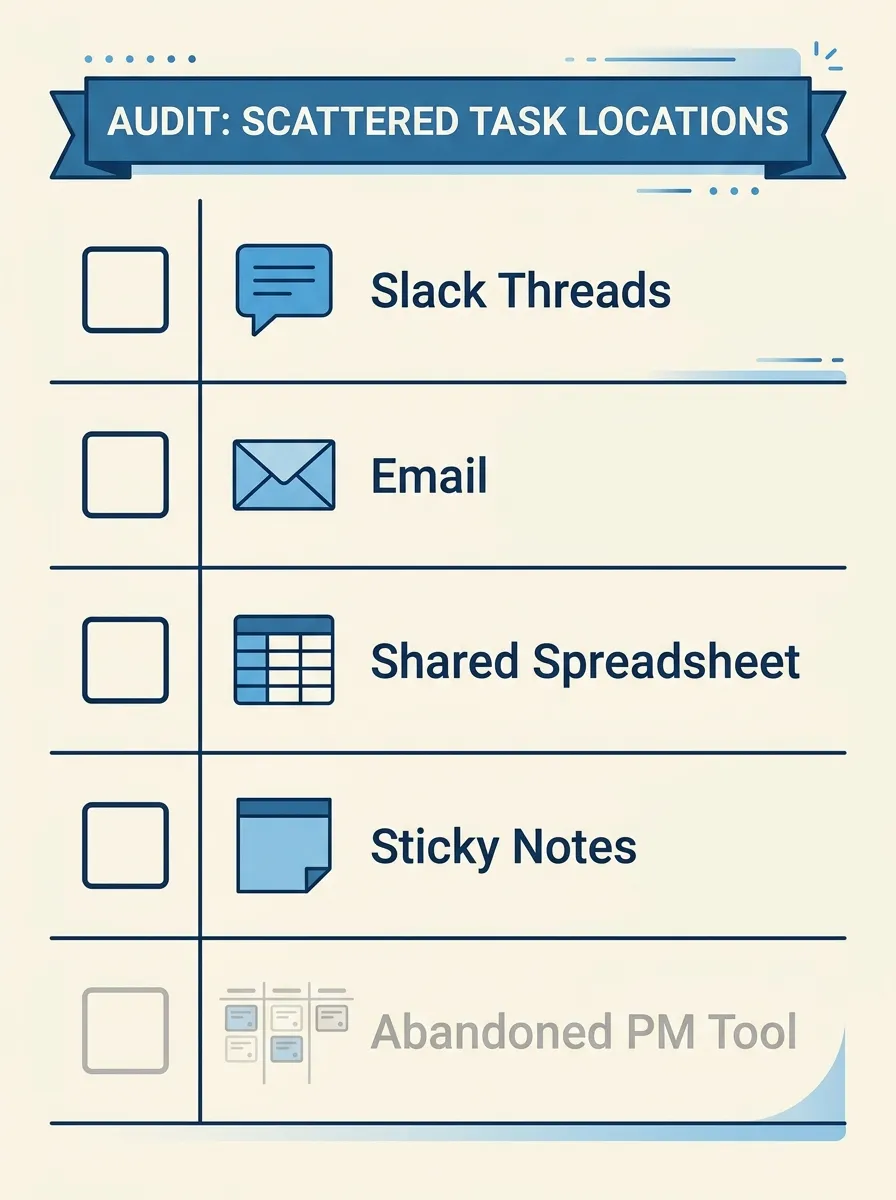 Once you can see where tasks currently live, sort them into the task, process, and project categories above, and pick the lightest-weight system that fits each category rather than defaulting to whatever tool your team happens to already have a login for.
If task tracking at your business has quietly drifted back to Slack messages and a spreadsheet nobody fully trusts, that’s a solvable structural problem, not a discipline problem. We offer a Task and Workflow Systems Review, where we sort your actual operational work into the right categories and recommend a lightweight setup that fits how your team really operates. Get in touch here and tell us which part of your operations currently feels the most scattered.