
Inventory in a spreadsheet works fine at a small scale, right up until it doesn’t. A handful of SKUs and a low order volume are forgiving. A few hundred SKUs, multiple people updating the same file, and a growing order volume are not. The spreadsheet doesn’t announce the moment it stops being reliable. It just quietly starts drifting from reality, one uncorrected count at a time, until a stock-out or a mis-shipped order forces someone to notice.
We covered the broader signs your operations have outgrown spreadsheets elsewhere. Inventory is where those signs tend to show up first and cost the most, because unlike an internal approval delay, an inventory error usually reaches a customer.
The Real Cost of Inventory Errors
Manual data entry carries a well-documented error rate of roughly 1 to 5% per field, and inventory data typically gets touched multiple times, once at receiving, again at picking, again at shipping, with each touch a fresh chance for the count to drift. Analyses of manufacturing and inventory data quality put the average annual cost of inaccurate inventory data at roughly $394,000 for small businesses once stock-outs, overstocks, and the labor spent reconciling the difference are counted together.
That number sits on top of the general labor and error cost we broke down in our post on the real cost of manual operations. Inventory tends to make that baseline number worse specifically, because the errors here aren’t just internal inconvenience, they show up as a customer getting the wrong order or a sale you couldn’t fulfill because the spreadsheet said you had stock you didn’t.
The Operational Symptoms You’re Probably Already Seeing
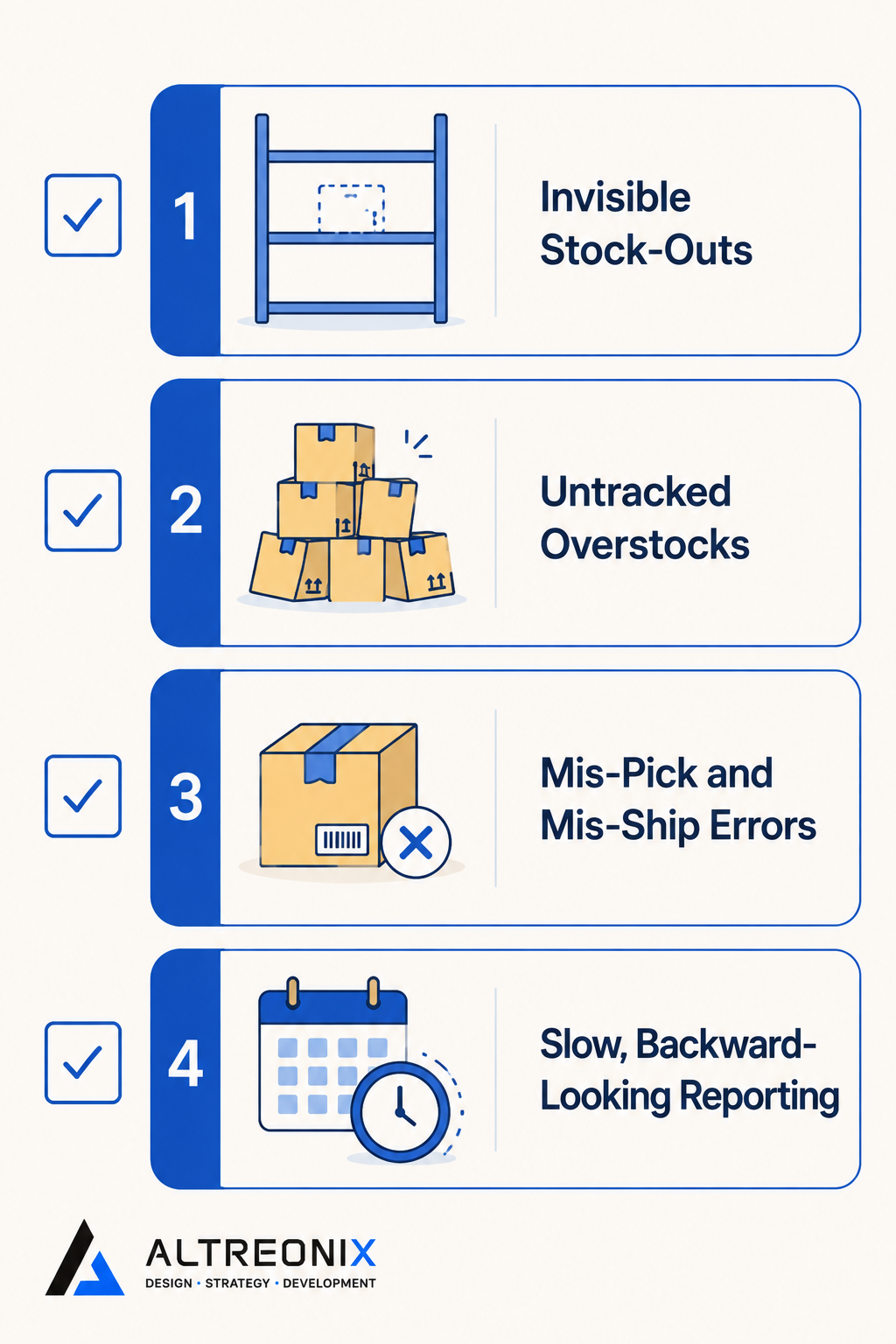
A handful of patterns show up consistently once spreadsheet-based inventory starts to strain:
- Invisible stock-outs. The spreadsheet says you have units on hand. You don’t. Nobody finds out until an order can’t be fulfilled.
- Overstocks nobody’s tracking. The reverse problem: capital tied up in inventory that isn’t moving, because nobody has a reliable, current view of what’s actually overstocked.
- Mis-pick and mis-ship errors. A picker works from a count that’s slightly wrong, and the error doesn’t surface until a customer receives the wrong item or quantity.
- Slow, backward-looking reporting. By the time anyone pulls a report from the spreadsheet, it reflects last week’s reality, not today’s, which makes proactive decisions almost impossible.
Spreadsheets fail at inventory management in a fairly predictable way as scale increases, because they were built for calculation, not for tracking a live, constantly changing physical reality across multiple people touching the same data.
Here’s what this typically looks like in practice. An order comes in for a product the spreadsheet shows as in stock. The warehouse team goes to pick it and finds three units instead of the ten the sheet claims, because a shipment from two days ago was recorded against the wrong SKU. Now someone has to call the customer, adjust the order, and go find where those three phantom units actually went in the file. That’s not a one-off mistake. It’s the predictable output of tracking live inventory in a tool with no validation and no single source of truth.
What a Proper Inventory System Does That Excel Can’t
The gap isn’t about Excel being a bad tool. It’s about Excel being the wrong category of tool for this job. Real operational systems are built around a few core capabilities that spreadsheets structurally can’t provide:
- Real-time updates that reflect a change the moment it happens, rather than whenever someone remembers to update the file. This alone eliminates the “phantom units” problem, since there’s only ever one live count instead of a file that’s accurate the moment it’s saved and stale the second after.
- Validation rules that catch an impossible entry, like shipping more units than are on hand, before it becomes a fulfilled order. A spreadsheet will happily let you subtract a number below zero. A proper system stops the transaction and flags it instead.
- Role-based access so a picker can update stock without being able to edit pricing or financial fields, which spreadsheets have no real way to enforce beyond a polite request not to touch certain columns.
- Integration with accounting or ERP systems, so inventory movement automatically reflects in your financial records instead of requiring a second manual entry, which is exactly the kind of double-entry that introduces the drift described above in the first place.
None of this requires a massive platform. It requires a system built for tracking live operational data, which is a fundamentally different job than the one a spreadsheet is designed to do.
Your Options: Apps, ERP Modules, or Custom Systems
Not every business needs the same answer here, and the right fit depends on how standard or specific your actual inventory workflow is. This is also where we see the most wasted spend, businesses either overbuying an ERP module for a problem an app could solve, or forcing a genuinely unusual workflow into an off-the-shelf tool and living with the workarounds for years.
| Option | Best Fit | Watch Out For |
|---|---|---|
| Basic inventory app (off-the-shelf) | Standard SKU counts, straightforward order flow, limited customization needs | Can hit limits fast if your workflow has unusual rules or exceptions |
| ERP inventory module | Businesses already committed to a broader ERP platform for finance and operations | Often more implementation than a small team actually needs just for inventory |
| Custom internal system | Specific picking, packing, or multi-warehouse logic that doesn’t map cleanly to a generic tool | Only worth it when the workflow is genuinely non-standard, not by default |
A useful gut check: if your inventory workflow could be described in a sentence any off-the-shelf tool’s marketing page already covers, an app is probably enough. If describing it accurately takes several exceptions and “well, except when,” that’s usually a sign a more tailored system, whether that’s a configured off-the-shelf tool or something built around your specific process, will save more than it costs.
A Single-Workflow Upgrade Path: Order Intake to Invoicing
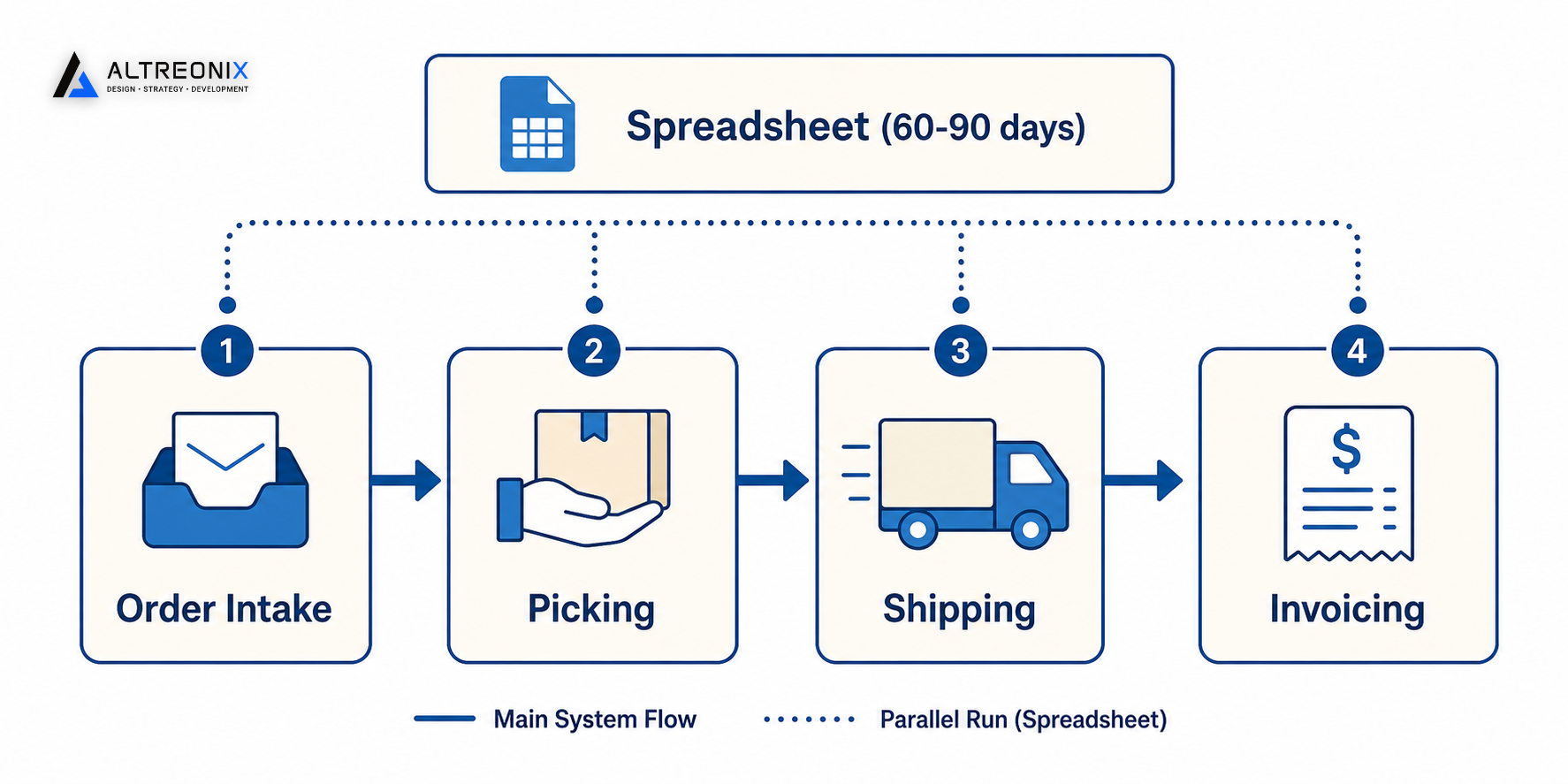
Replacing an entire inventory process at once is where most of these projects go wrong. A staged rollout, covering order intake, picking, shipping, and invoicing as one connected workflow, works better in practice than a company-wide system change:
- Map the current process exactly as it happens today, including whatever workarounds have crept in. This step matters more than it sounds, because most failed system rollouts skip it and design for how the process should work rather than how it actually does.
- Build or configure the new system around that one workflow, from the moment an order comes in to the moment it’s invoiced, rather than trying to cover every edge case across the whole business on day one.
- Run the new system in parallel with the spreadsheet for 60 to 90 days, correcting whatever the design missed before removing the safety net. This is where the phantom-unit problems and edge cases the mapping missed actually surface, while there’s still a fallback in place.
- Cut over once the parallel run has held up, and use what you learned, what took longer than expected, which exceptions came up, to plan the next workflow with far less guesswork than the first one required.
This staged, parallel-run approach consistently outperforms a hard cutover, because it surfaces edge cases while the old system is still there to catch what the new one missed.
How Inventory Fits Into Your Broader Systems Picture
Inventory rarely lives in isolation. It touches approvals when a large reorder needs sign-off, it touches finance when stock movement needs to reflect in your books, and it touches customer service the moment a promised item isn’t actually available. Treating inventory as one piece of a larger operational systems picture, rather than an isolated fix, is what keeps the upgrade from creating a new disconnected system that just shifts the reconciliation problem somewhere else.
If invisible stock-outs, mis-ship errors, or a reporting lag are already familiar, it’s worth a closer look before the cost compounds further. We offer an Inventory Systems Review, where we assess your current spreadsheet setup and recommend the right fit, off-the-shelf, configured, or custom, along with an estimated ROI. Get in touch here and bring your current process, exceptions included.