Introduction
We’ve written before about how to decide between automation and AI agents, and about the setup mistakes that sink these projects before they even launch. This post is the concrete follow-up: actual scenarios, pulled from how small businesses are really using this right now, sorted by which tool is actually doing the work.
If you haven’t read our framework for deciding between automation and AI agents yet, that’s the piece to start with. This post assumes you’ve got the basic distinction down and want to see what it looks like applied to real workflows, including the cases where the answer is “you don’t need an agent for this at all.”
Where Small Businesses Are Actually Starting
Three areas show up again and again as the entry point for SMBs getting real value out of this, and it’s worth knowing the order, because it tells you something about risk and payback speed.
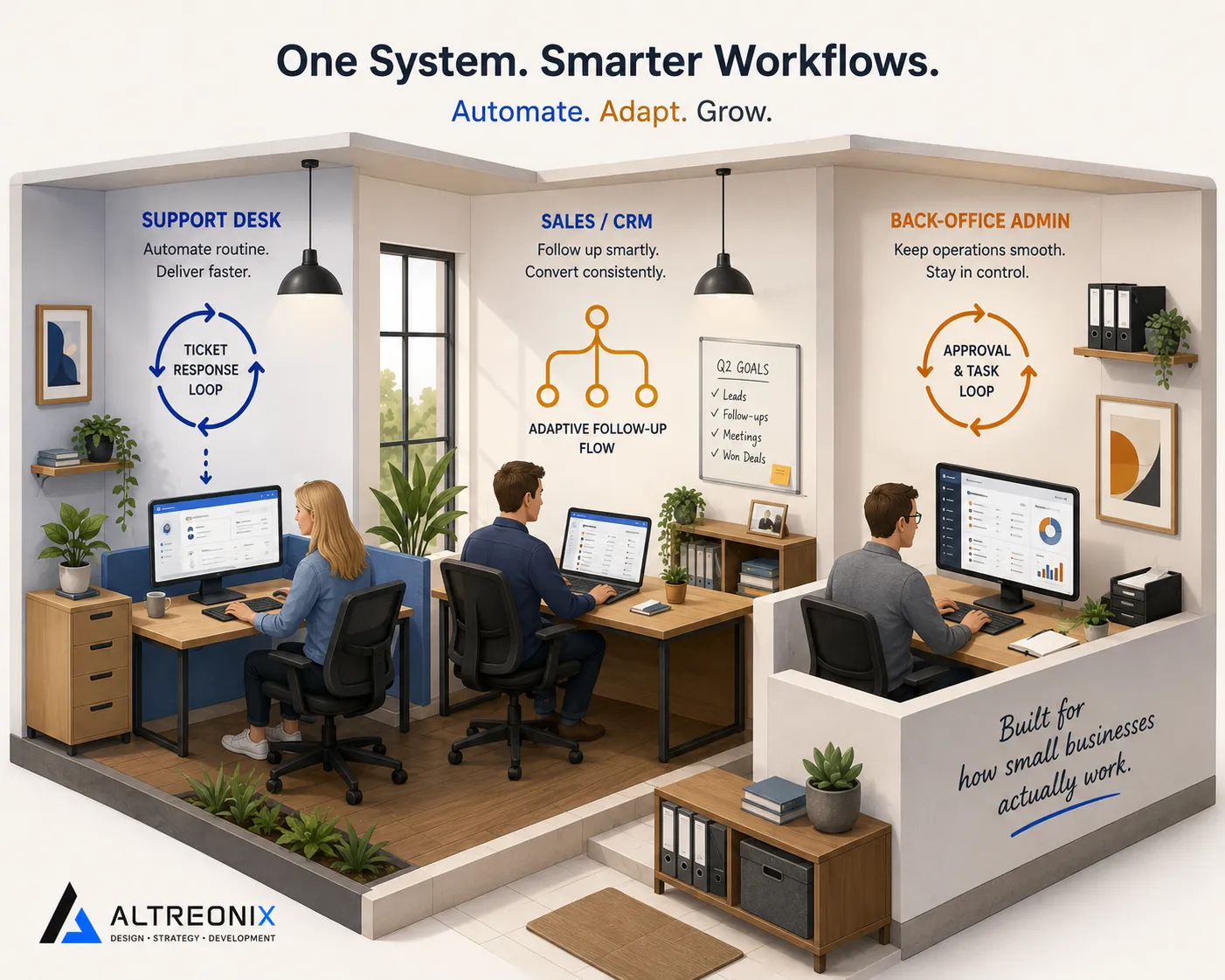
Customer service usually comes first. It’s high-volume, repetitive enough to automate meaningfully, and the payback tends to be fast, often inside a single quarter. Marketing and lead follow-up is a close second, since content drafts and routine inquiries are high-frequency, lower-risk touchpoints. Admin and back-office work tends to come third, once a business has some confidence from the earlier wins.
That sequencing isn’t an accident. It roughly tracks how forgiving each area is of an early mistake, and it’s a reasonable order to follow in your own business too.
Customer Service: Where Agents Earn Their Keep Fastest
This is the clearest case for an actual AI agent, not just automation, because the input is genuinely unstructured. A support ticket isn’t a form with known fields, it’s a paragraph someone wrote in whatever order the thought occurred to them, and someone has to read it, check context, and decide what happens next.
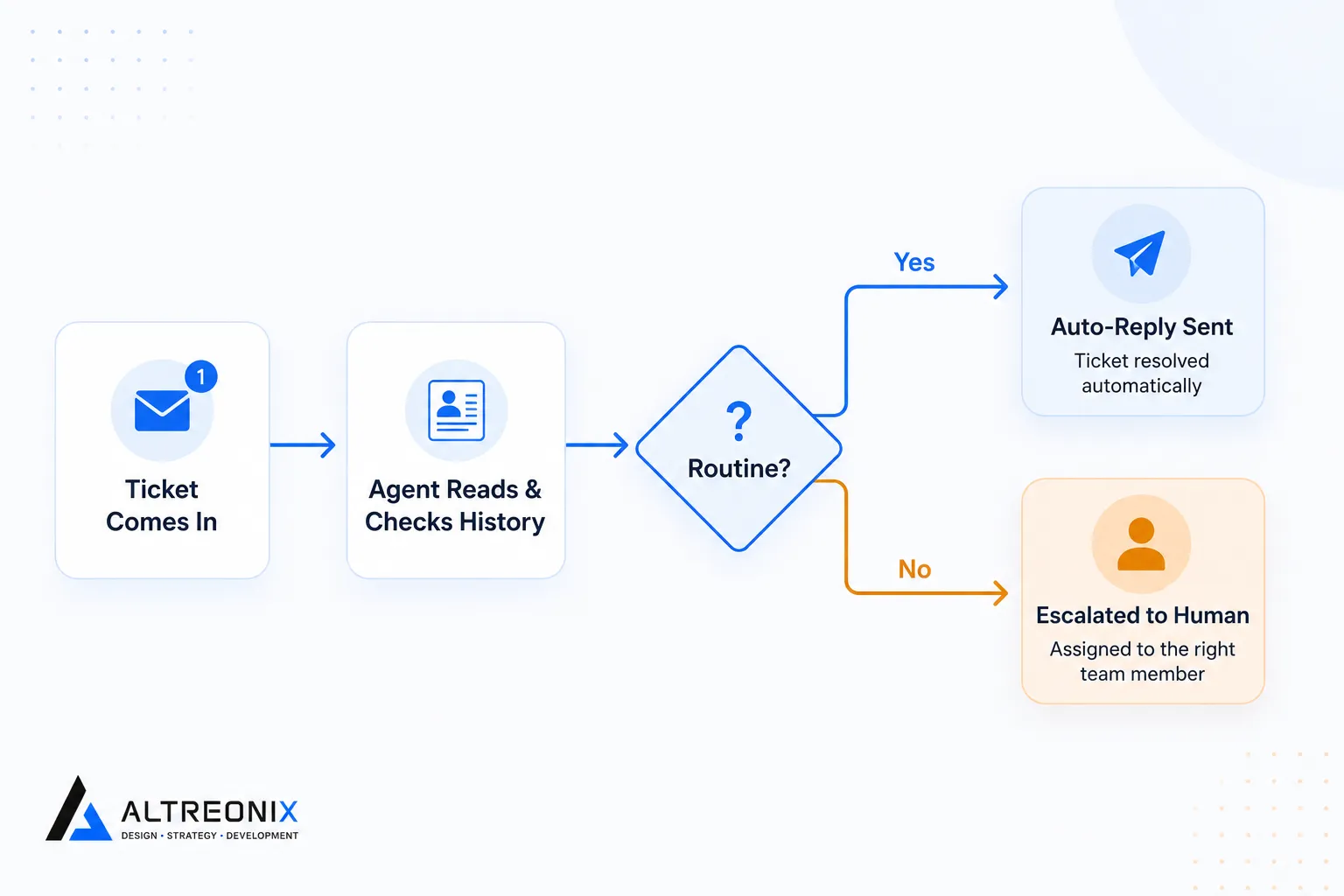 That’s exactly the kind of task an agent handles well and a fixed automation structurally can’t. An agent that reads the full thread, checks the customer’s account history, and decides whether to draft a reply, escalate to a human, or update a record is doing real interpretive work. Practical deployments of this pattern describe agents triaging support conversations this way, cutting down the manual reading and first-pass decision-making that used to sit entirely with a person.
What this looks like in practice for a small business:
- Incoming tickets get read and categorized automatically (billing, technical, general inquiry)
- Routine, low-risk replies (order status, simple FAQs) get drafted and sent directly
- Anything ambiguous or high-stakes gets escalated to a human with the agent’s summary attached, saving the read-through time
- Account and order history gets pulled automatically so the human isn’t hunting for context
The guardrail worth calling out here: replies involving refunds, complaints, or anything customer-commitment-adjacent should still route to a human for approval before sending, even once the triage and drafting is automated. Speed on the low-risk 80% is the win, not full autonomy on the risky 20%.
Sales and Marketing: Judgment on Timing and Channel
This is a good example of automation and an agent working the same process at different points. A standard automation can push a new lead from an ad platform straight into your CRM the moment they fill out a form, no judgment required there, it’s a known trigger and a known action.
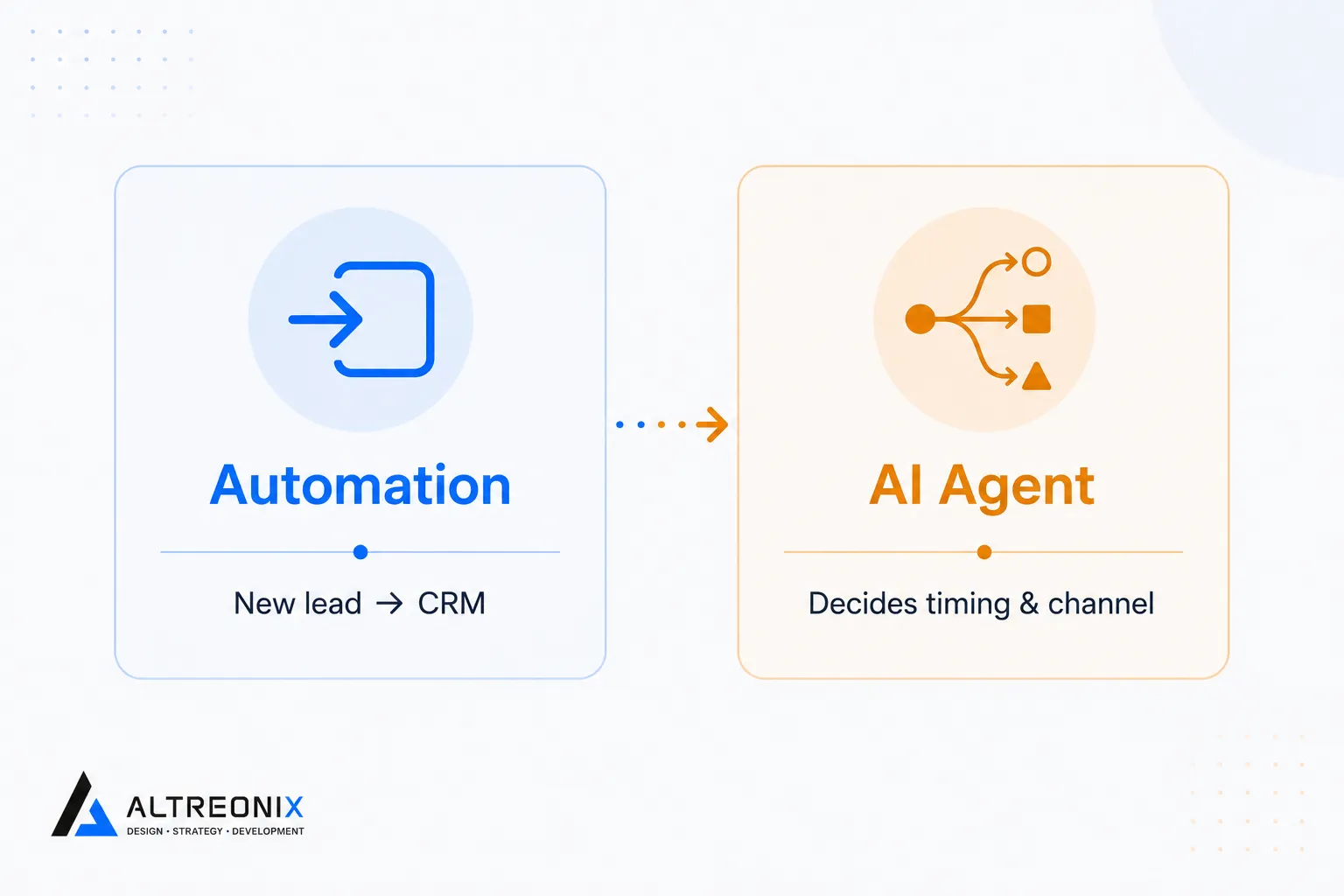 Where an agent adds real value is one step later: deciding the right channel and timing for the next outreach based on that lead’s engagement history. Should this person get a follow-up email today, or does their browsing pattern suggest a call would land better next week? That’s a judgment call, not a lookup, and independent side-by-side comparisons of these two approaches have documented exactly this kind of split in real deployments, the automation handles the mechanical hand-off, the agent handles the part that used to require a person thinking it through.
On the content side, SMBs report strong appetite for automating first drafts of marketing content and routine customer inquiries, since these are high-frequency, lower-risk touchpoints where a human reviewing and editing before publishing is a fast, low-risk step to keep in place.
Admin and Back Office: Where the Error Reduction Shows Up
This is usually the third area SMBs tackle, and it’s where automation (not necessarily an agent) tends to deliver the most dramatic, easiest-to-measure wins. Data entry, CRM record updates, and document processing are structured enough that a well-built automation handles them reliably, and the error reduction compared to manual entry is often significant once it’s running.
Where an agent adds something extra here is in reconciliation-style tasks with some ambiguity baked in, matching a payment record to an invoice when the amounts or references don’t line up perfectly, for instance. Real-world tests of agents handling this kind of financial matching between tools like Stripe and QuickBooks have shown agents making a genuine judgment call rather than requiring every matching rule to be hardcoded in advance, which is exactly the kind of variance a fixed automation would otherwise choke on.
The Use Case Breakdown at a Glance
| Task | Right tool | Why |
|---|---|---|
| New lead into CRM | Automation | Fixed trigger, fixed action, no judgment needed |
| Deciding outreach timing and channel | AI agent | Depends on engagement history, a real judgment call |
| Support ticket triage | AI agent | Unstructured input, needs reading and interpretation |
| Routine FAQ replies | Automation (or agent-assisted) | Predictable, low-risk, high-volume |
| Invoice-to-payment reconciliation | AI agent | Ambiguous matching that fixed rules struggle with |
| Scheduled reports and alerts | Automation | Structured, repetitive, no interpretation needed |
| Appointment booking and reminders | Automation | Known trigger, known steps, no ambiguity |
Where Simple Automation Is Genuinely Enough
It’s worth naming this directly, since it’s the part most “AI use case” content skips: a good chunk of the workflows above never needed an agent in the first place, and forcing one in adds cost and unpredictability for no real upside.
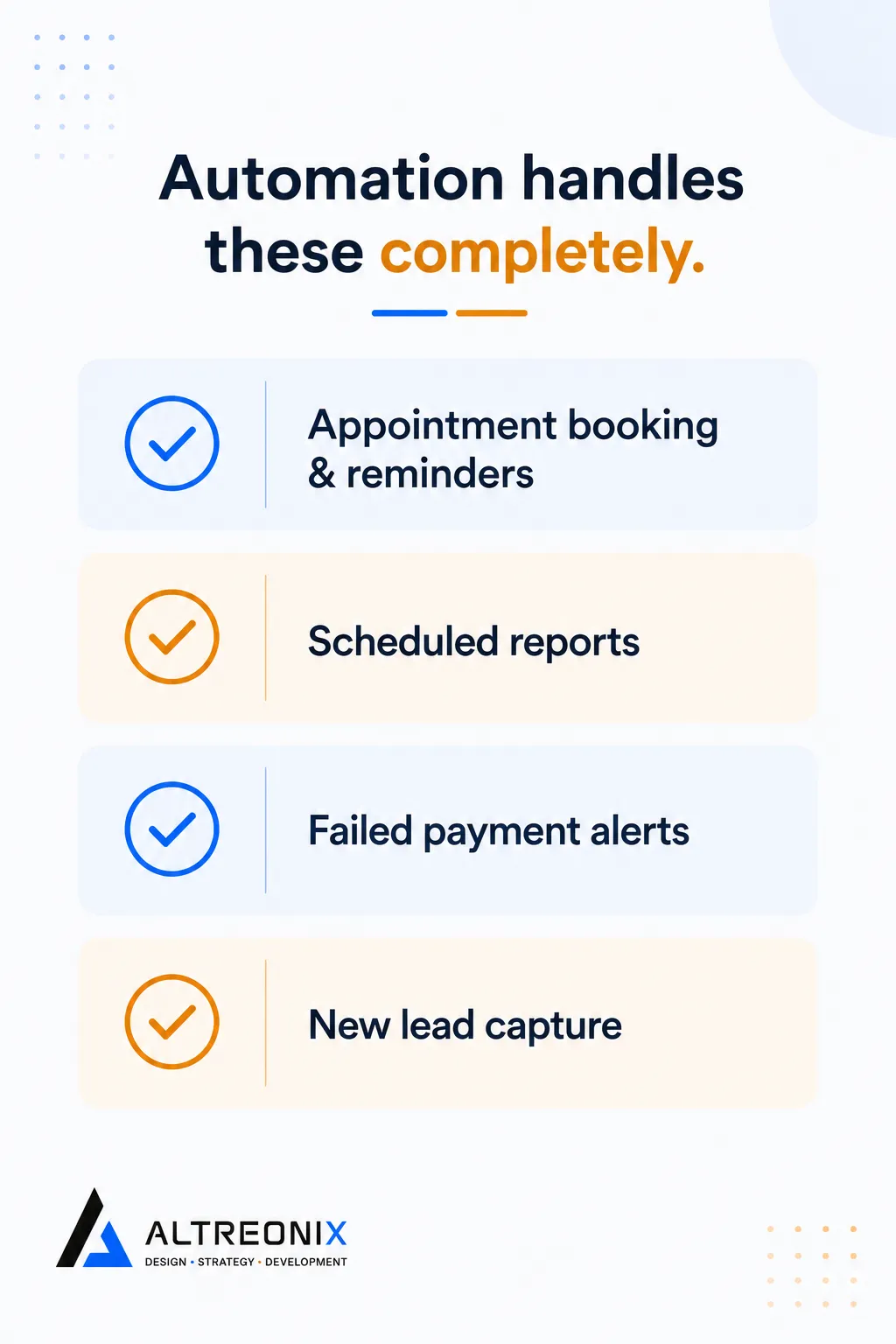 - Appointment booking and reminders. Known trigger, known steps, no interpretation required. A calendar automation handles this end to end.
- Scheduled reporting. If the report runs the same way every week, that’s automation, full stop.
- Failed payment alerts. A structured event with a known response. No judgment call involved.
- New lead capture. As above, the hand-off itself is mechanical even when what happens next isn’t.
The businesses getting the best return here aren’t the ones running agents everywhere. They’re the ones matching the tool to the actual shape of the task, automation for the fixed and repetitive parts, agents for the parts that genuinely require reading and deciding.
How We Approach This With Clients
We start by mapping which of a client’s actual workflows look like the left column of that table above versus the right. More often than people expect, the honest recommendation is a straightforward workflow automation rather than anything more elaborate, because the task simply doesn’t have enough ambiguity to justify an agent. Where there’s a genuine judgment call happening, that’s where our AI solutions work comes in, built with the guardrails covered in our traps and pitfalls post from day one.
Where to Go From Here
If you’re trying to figure out which of your own workflows belong in which column, start with customer service and lead follow-up, since that’s where most SMBs see the fastest, clearest payback. From there, expand into back-office tasks once you’ve got some confidence from the earlier wins.
Want a second opinion on where your own workflows land? Take a look at our AI solutions work, or reach out and we’ll map it out with you directly.